
Hello Kitty: Good Night
Hippo Kids GamesEducational
4.8276.00 Reviews
- Version
- 1.4.6
- Installs
- 5.00M
- Age Rating
- Everyone
Screenshots
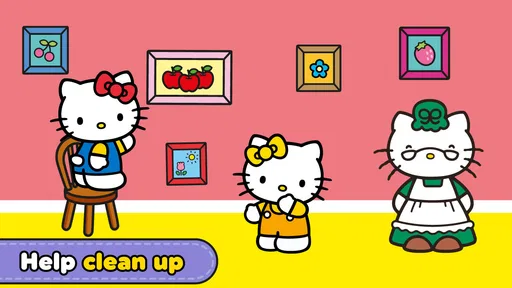

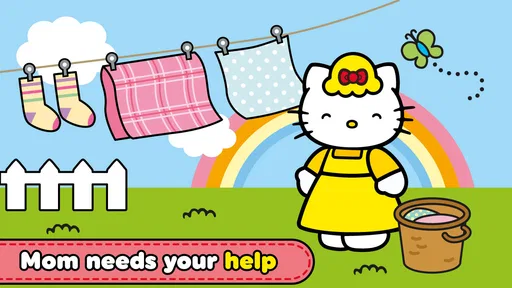
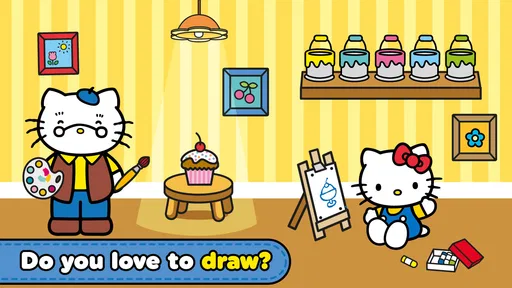
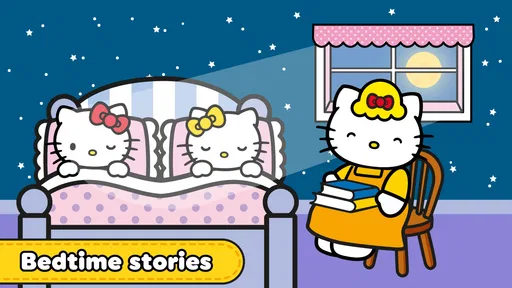
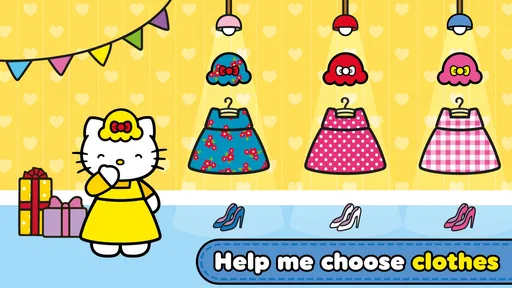

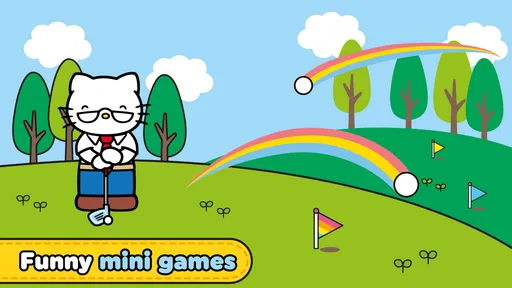
Our Review of Hello Kitty: Good Night
 Analysis by Appyee
Bedtime apps often promise a calm finish to the day, but many of them quietly turn into another bright, busy game. Hello Kitty: Good Night takes a gentler route. I found it most useful as a small bedtime activity built around helping Hello Kitty settle down and sharing story moments with children and her family. It is not trying to replace a real bedtime routine; instead, it gives a child a friendly, familiar character to follow when the evening is winding down.
The game comes from Hippo Kids Games and sits in the educational category. It is free to start, is suitable for Everyone, and has reached over five million installs. Its average rating is 4.8 from around ten thousand ratings, which suggests that the simple concept works well for many families. I would still look at it as a guided bedtime companion rather than a complete learning platform or a full storybook collection.
What to Expect Before You Start
The basic idea is easy to understand: help Hello Kitty get ready for sleep, then move through bedtime-story moments with her and the people around her. That makes the game approachable for a young child who may not read independently yet. The familiar character does much of the emotional work, while the bedtime theme gives the activity a clear beginning and purpose.
My first impression was that this is better suited to short sessions than long play. A child can open it as part of the evening routine, complete a few simple interactions, and then put the device away. That matters because a bedtime game should not demand the same concentration as a puzzle game or encourage a child to keep chasing one more level.
The educational label should be understood in a practical way. The game supports routine, listening, recognition, and participation through a familiar sequence. It is not the kind of educational title I would choose for spelling practice, mathematics, or structured preschool lessons. Its value is closer to helping a child engage with the idea of preparing for sleep and paying attention to a story.
I also appreciate that the concept gives parents an easy opening for conversation. After a session, I can ask what Hello Kitty did before bed, which part of the story the child remembered, or what they like to do before sleeping. Those questions turn a short screen activity into a bridge toward the real routine. Used that way, the app has more value than simply handing over a phone and leaving the child to tap.
There is one important expectation to set: this is still a game on a mobile device. The screen may be calming compared with an action-heavy title, but it remains screen time. I would avoid opening it at the exact moment a child is already overtired. Starting a little earlier gives the child time to enjoy the activity without making the device the final thing they see before lights out.
The free entry point is helpful for trying the experience with a child before deciding whether it belongs in your routine. Optional in-app purchases range from $1.99 to $9.99 per item, so I would check the purchase controls on the device before handing it over. That is especially worthwhile when a child is curious and likely to tap through every visible option.
Starting Without Making Bedtime Complicated
After installing the game, I would begin with the adult nearby rather than treating it as an independent activity immediately. The first session is a good time to see how the child responds to the pace, the story elements, and the bedtime theme. You do not need to explain every part in advance. A simple instruction such as “Let’s help Hello Kitty get ready for bed” is enough to give the child a clear goal.
Before the child takes control, I recommend checking the device’s purchase protections and choosing a comfortable screen position. This is not a special game trick; it is a sensible setup for any child-focused app with optional purchases. Keeping the phone or tablet on a stable surface also helps prevent the session from becoming a restless hand-held activity.
The current version is 1.4.6 and requires Android 7.0 or later. For a family using an older device, the operating-system requirement is the first practical compatibility check. On a supported device, I would still make sure the app is ready before bedtime instead of beginning the installation while a tired child is waiting.
One useful approach is to establish a stopping point before opening the game. For example, you might say that Hello Kitty’s bedtime activity comes before brushing teeth, a real story, or lights out. This prevents the app from becoming a negotiation at the end of the evening. The game can be the cue that the routine has started, not a reward that the child tries to extend indefinitely.
For younger children, sit close enough to help with tapping without taking over. If a child cannot yet read, narrate what is happening in your own words. If they can read a little, let them identify familiar words or explain the next action. This makes the same app usable across a wider range of early childhood abilities, although the adult’s level of support will naturally change.
Finding the First Meaningful Success
The first successful action is not simply opening the game. It is completing a bedtime step with the child understanding why it matters. I would frame the goal as helping Hello Kitty move from an active part of the day toward sleep. When the child completes an interaction, pause briefly and connect it to home: “That is something we do before bed too.”
This small pause is one of the best ways to get more from the app. Without it, the child may see the activity as another sequence of taps. With it, the game becomes a reminder of a familiar routine. The child starts noticing that bedtime has an order, and that order can feel reassuring rather than imposed.
Story time is another opportunity to slow down. Instead of rushing through the next screen, ask the child to describe what they noticed. You can invite a prediction about what might happen next or ask them to retell the moment in their own words. These prompts are more valuable than testing whether the child tapped the correct place quickly.
A realistic evening might look like this: after dinner, you open the game for a brief shared session while the child is still alert. You help Hello Kitty through the bedtime preparation, listen to the story together, and then close the app before moving to washing up and a paper book. The mobile game has a defined role, while the final transition still happens away from the screen.
If the child wants to repeat the same part, that is not necessarily a problem. Repetition can help a young user feel confident and remember the sequence. I would allow a little repetition when it is calm and purposeful, but I would stop if the activity becomes frantic or turns into a demand for extended play. The goal is a successful bedtime transition, not maximum time inside the app.
Another practical tip is to let the child perform the final tap whenever possible. Adults often move quickly because they already understand the interface. Giving the child control over a simple step makes the accomplishment feel personal. That feeling can encourage them to participate in the next real-world bedtime task rather than waiting for an adult to do everything.
Clearing Up the Confusing Parts
The biggest possible confusion is the difference between a bedtime theme and an automatic sleep solution. The game can support a routine, but it cannot decide when a child is tired or guarantee that the child will fall asleep. Some children may become more engaged by the character and stories, especially if they are already resisting bedtime. In that case, the app is probably being introduced too late or used for too long.
Another point to explain to a child is that the game’s version of bedtime is a playful representation. Real bedtime includes personal details that the game cannot replace: changing clothes, brushing teeth, using the bathroom, and settling in comfortably. I would present the app as one small step in the evening rather than the entire routine.
Parents may also wonder whether the game is suitable for independent use. I would say it depends on the child. A confident child who understands simple touch interactions may manage parts of it alone, but the strongest use is shared play. The story becomes more meaningful when an adult talks about it, and supervision is sensible because the game includes optional purchases.
If the child is looking for fast challenges, competition, or a large variety of levels, this may feel too quiet. It is not the right substitute for an action game, a traditional puzzle title, or a broad early-learning suite. Its narrow focus is also its main limitation: families wanting one app for many academic skills will need something else alongside it.
There is a trade-off in the recognizable Hello Kitty presentation as well. Fans of the character may feel immediately comfortable, while children who do not know her may not receive the same initial appeal. The bedtime idea remains understandable, but the character connection is likely to influence how quickly a child becomes interested.
Because the game is free to start but includes optional purchases, I would not let a child explore purchase screens casually. Set the device so that an adult must approve transactions, and explain that some items may require permission. This keeps the focus on the bedtime activity and avoids a sudden interruption caused by an accidental tap.
Using It Well Beyond the First Session
Once the child understands the basic flow, the next step is to make the game predictable without making it feel mandatory. I would use it on evenings when a gentle transition is useful, not automatically every night. Alternating it with a paper story, quiet music, or conversation prevents the device from becoming the only signal that sleep is approaching.
A useful workflow is to connect the game with one fixed real-world action. For instance, the child might finish the app and immediately choose pajamas, or close it and go to the bathroom. The connection should be simple and consistent. Over time, the virtual bedtime sequence can act as a prompt for the next physical step, which is more useful than treating the app as an isolated reward.
You can also use the story moments to build language skills without turning the evening into a lesson. Ask for one detail, one feeling, or one prediction. Avoid a long list of questions when the child is tired. A single thoughtful prompt is enough to encourage attention and recall while keeping the atmosphere relaxed.
For siblings, shared use may work if they can take turns without arguing. One child can control the device while the other describes what is happening, then they can swap at a natural pause. If turn-taking creates more excitement than calm, separate sessions are the better choice. The app’s family theme does not automatically make every group session peaceful.
I would also watch the child’s reaction over several evenings. A good sign is a smoother move from the game to the next bedtime task. A warning sign is repeated bargaining, increased energy, or disappointment whenever the session ends. If those patterns appear, replace the app with a non-screen activity for a while. A bedtime tool is only useful when it lowers friction rather than adding another dispute.
Compared with a standard digital storybook, this game offers more participation because the child is helping a character through a routine. Compared with a general preschool learning app, it is more focused and emotionally specific, but far less broad in its educational coverage. Compared with a paper bedtime book, it is more interactive and may attract a reluctant child, while the paper book is usually easier to keep as the final screen-free step.
That comparison explains where I think it fits best: between daytime play and the quietest part of bedtime. It can help a child shift attention, especially when a familiar character makes the transition feel inviting. It is less suitable as the very last activity before sleep or as a replacement for reading together.
Who I Would Recommend It To
I would recommend this game to families with young children who enjoy Hello Kitty and need a friendly prompt for beginning the bedtime routine. It is especially appealing when the child benefits from seeing a sequence acted out rather than hearing repeated adult instructions. The Everyone age rating also makes the concept broadly approachable for family use.
I would be more cautious for children who become highly stimulated by any screen, even a quiet one. In that situation, a physical storybook or audio-only routine may work better. I would also skip it for anyone looking specifically for measurable school-style learning, deep puzzles, or a large library of unrelated activities.
The app is a good fit when an adult is willing to participate for at least part of the session. It is less convincing as a digital babysitter. The most valuable moments come from connecting Hello Kitty’s bedtime actions with the child’s own evening, and that connection requires a little conversation and attention.
Hippo Kids Games has kept the idea focused rather than turning it into a crowded collection of unrelated mini-games. That focus is refreshing, although it also means the experience may feel limited after repeated use. Families should decide whether the child enjoys the routine itself, not just the novelty of a new installation.
My Final Take After Using It
I see Hello Kitty: Good Night as a gentle routine aid with a clear audience. Its strongest quality is not complexity; it is the way a familiar character gives a child an approachable reason to think about sleep, stories, and family time. The game works best when I use it briefly, stay nearby, and move naturally from the screen to the next real bedtime step.
The free starting point makes it easy to test, while the optional purchases mean I would prepare the device before sharing it with a child. I also would not promise that it will make every bedtime easier. Some children will respond warmly to the calm theme, while others will simply want more screen time.
For a first-time user, my advice is simple: install it before the evening rush, check the device settings, try one shared session, and stop while the mood is still calm. If your child can complete a bedtime action, talk about the story, and then move toward pajamas or a real book without a struggle, the app is doing its job.
My recommendation is positive, with boundaries. Choose it for a character-led bedtime activity and a small educational touch, not as a replacement for parenting, reading, or a complete learning app. When used as one short, supervised part of the evening, it offers a pleasant way to make the transition toward sleep feel more familiar and inviting.
Verdict
Strengths of Hello Kitty: Good Night
- Calming bedtime activities are suitable for young children.
- Cute Hello Kitty visuals make the app appealing to fans.
- Simple controls are easy for children to understand.
- Short sessions fit naturally into a bedtime routine.
- Gentle interactions can help keep children relaxed before sleep.
Limitations of Hello Kitty: Good Night
- Some content may feel repetitive after frequent use.
- The Hello Kitty theme may not appeal to children unfamiliar with it.
- Parents should check in-app purchases before handing over the device.
- Limited challenge may disappoint older children.
- Audio features may be less effective in noisy environments.
Other Releases by Hippo Kids Games
View All
Vlad & Niki Supermarket game
Educational4.7

Hello Kitty: Kids Hospital
Educational4.8

Hello Kitty: Beauty Salon
Educational4.4

Vlad and Niki: Kids Piano
Music4.7
Similar Picks in This Category
View All
Little Panda Policeman
BabyBus4.0

Monster Trucks Game for Kids 2
Raz Games4.1

Little Panda's Chinese Recipes
BabyBus4.4

Little Panda's Restaurant
BabyBus4.4

Little Panda's Ice Cream Games
BabyBus4.3

Baby Panda Care
BabyBus3.8
Frequently Asked Questions
What is Hello Kitty: Good Night, and what can children do in the app?
Hello Kitty: Good Night is a relaxing bedtime-themed app designed around Hello Kitty and her friends. Children can explore gentle nighttime activities, interact with familiar characters, listen to calming content, and follow routines that encourage getting ready for sleep. The experience is simple and colorful, making it suitable for younger users who enjoy quiet play before bedtime.
Is Hello Kitty: Good Night suitable for young children?
The app is aimed primarily at preschool and early-school-age children, although the appropriate age may vary depending on the child’s reading ability and independence. Its interface is generally easy to understand, with friendly visuals and uncomplicated interactions. Parents should still review the available content and settings first, especially if the child will use the app without supervision.
Does Hello Kitty: Good Night require an internet connection?
Some features may work without a constant internet connection after the app has been installed, but connectivity requirements can differ depending on the version and device. Internet access may be needed for downloading the application, restoring purchases, receiving updates, or loading certain content. It is best to open the app once while connected before giving it to a child offline.
Are there advertisements or in-app purchases in Hello Kitty: Good Night?
Parents should check the current store listing carefully because advertising, paid content, and purchase options can change between versions, regions, and operating systems. If the app includes optional purchases, they may unlock additional activities or content. To prevent accidental spending, use parental controls, password protection, and purchase restrictions on the device before allowing children to play.
Can Hello Kitty: Good Night replace a regular bedtime routine?
No. The app can support a bedtime routine, but it should not replace consistent habits such as brushing teeth, changing into pajamas, reading with a parent, and maintaining a regular sleep schedule. Screen use before bed may not suit every child, so parents should keep sessions short, lower the device brightness, and stop using the app if it makes the child more stimulated rather than relaxed.
Play our best games!


